


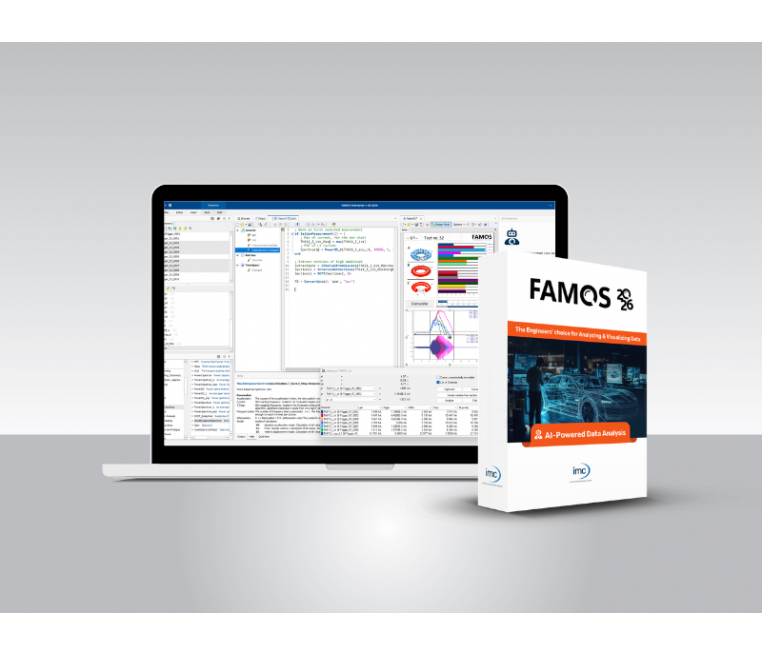

imc FAMOS + AI - Analyzing and Visualizing Measurement Data Software
Turn complex test data into clear insights and reports in minutes
Struggling with large or complex measurement datasets? FAMOS helps engineers analyze, visualize, and report test data quickly – without programming. The integrated AI Assistant helps you to automate analysis steps, accelerate workflows, and get to reliable insights faster. From quick checks to processing massive datasets, FAMOS gives you the flexibility to work efficiently.
This product is temporarily out of stock. You may opt-in our waiting list and we'll notify you once the product is restocked.
Product Overview
Simply load your data and immediately see a visual overview of your test result - find data anomalies, identify correlations, compare test runs, locate events, or clean up data. No coding required.
- Smooth zooming and panning in data plots
- Automatic unit and sampling rate conversion
- High performance with thousands of channels and millions of samples
- Powerful AI assistant, calculation assistants and example templates
- Interfaces with databases, Python, PowerPoint, and more
- Free Reader Edition for viewing data and analysis results
Product Features
Quickly Import and View Measurement Data
- Import measurement data from 100+ file formats, including CSV, TDMS, BLF, and WAV, or directly from ASAM ODS and SQL databases.
- Data displays instantly with units included, and you can zoom and scroll smoothly, even with large datasets. Linked cursors across curves make it easy to spot relationships.
- Multiple measurements can be loaded simultaneously for interactively switching through them and overlay comparisons.
- Use dual measurement cursors to quickly determine frequency content, slopes, RMS values, and more with just a click.

High-performance, Adaptable, and Proven
- Our library of calculation functions is designed to reduce your workload without limiting you with overly specialized features.
- Alongside core mathematics, statistics, and general signal analysis, you’ll find tools for:
- Detecting and processing anomalies, cyclic events, and periodic data segments
- Performing order-tracking analysis on vibrations in rotating machines
- Conducting fatigue & durability calculations
- Performing nonlinear approximations
- and much more
- These functions are optimized for fast execution with minimum steps and can be applied across whole groups of channels.
- Execute them via drag-and-drop or use the intuitive, but powerful macro language for complex workflows.

High-quality, and Insightful Data Presentation
- Even complex measurement results can be presented clearly and meaningfully. Assistants provide options to design all common technical and scientific chart types, such as:
- Heatmaps/colormaps, waterfall plots, 3D graphs, bar charts, GPS plots, contour plots, Bode plots, polar diagrams, wind roses, and scatter plots
- Customizable colors, line thicknesses, overlays, and XY plots
- Logarithmic scales, 1/3 or 1/1 octave scaling, font sizes, tick intervals, and legends
- Markers for values, distances, harmonics, thresholds, step heights, and orders
- Drag-and-drop capabilities let you create complete reports based on Office documents. Within imc FAMOS, you can combine tables, event lists, text, images, and logos with plots to build reports that even remain interactive.

Effortless One-Button Automation
The macro language in imc FAMOS allows you to perform multi-step calculations and create nearly any workflow, including highly complex fully automated analyses. You can automate the evaluation of thousands of measurements and generate PDFs or PowerPoint files from the results.
For recurring tasks, you can easily design custom user interfaces to interactively process new measurements, enabling you to develop tailored, intelligent tools quickly. Once created, projects can be easily protected from accidental changes and distributed across entire organizations.

Product Benefits
imc FAMOS Reader - view your data for free
With the imc FAMOS Reader, you can quickly and easily view data on your PC for free. Besides the imc FAMOS data format and data from imc measurement systems, such as imc CRONOScompact, imc CRONOS-PL, imc C-SERIES, etc., a variety of other data formats are supported. See the table below for a detailed overview of the supported file formats.
A wide variety of display possibilities are available to view your measurement data:
- Graph Plotting y-t, x-y, position several y-axes above the other or side by side
- 3-D waterfall and wire-frame displays, point cloud, etc.
- Color maps with ISO-Lines
- Tabular and numerical display options
- Bar diagrams
- Polar diagrams
- Maps and vector diagrams
- Scaling of time data in relative, absolute or third-octave
- Navigate with zoom and measurement functions
- Optical scrolling in both horizontal and vertical directions
Data import & export with imc FAMOS
Data source management
imc FAMOS supports a large number of common file formats such as MDF, CSV, Excel, WAV, Matlab and many more. Numerous file import filters allow a direct import of different formats without losing precision or metadata like units and time stamps.
A file assistant helps with unknown CSV formats. It semi-automatically detects where the values starts, whether it is comma separated or tab separated, which format the time stamps are stored in, and locates units and channel names.
The data source management allows you to specify file extensions and import filters for each data storage directory, for easy loading of new measurements with just a few clicks.
Below you can find the list of available import and export filters. Please contact us if your file format is missing.

imc FAMOS Reader Download
For the installation of the imc FAMOS Reader please download the imc FAMOS demo version. During the installation process, select the option "FAMOS Reader" in the step "imc FAMOS Edition". After the successful installation you can use your imc FAMOS Reader without any restrictions.
Datasheets
Video
What's New
What's New in FAMOS 2026 +AI
FAMOS 2026 +AI helps you turn large datasets into reliable insights
Stop struggling with tools that weren’t built for engineering data. FAMOS 2026 +AI combines powerful analysis, visualization, and reporting in one environment. The test & measurement software is enhanced with a smarter AI assistant, native support for modern file formats, and improved performance and user experience. Work more efficiently, with or without coding.
Used in automotive, aerospace and industrial research & testing.
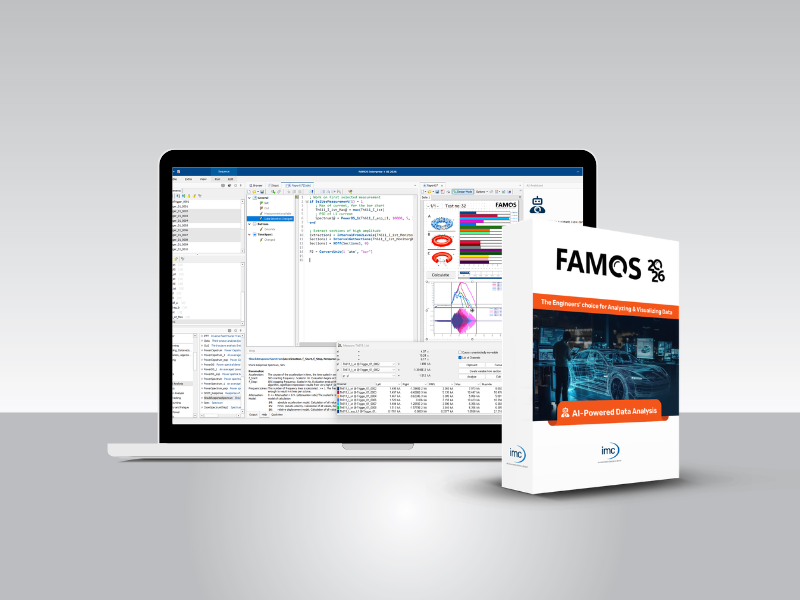

Stop wrestling with your data, learn from it.
Explore the new FAMOS 2026 +AI
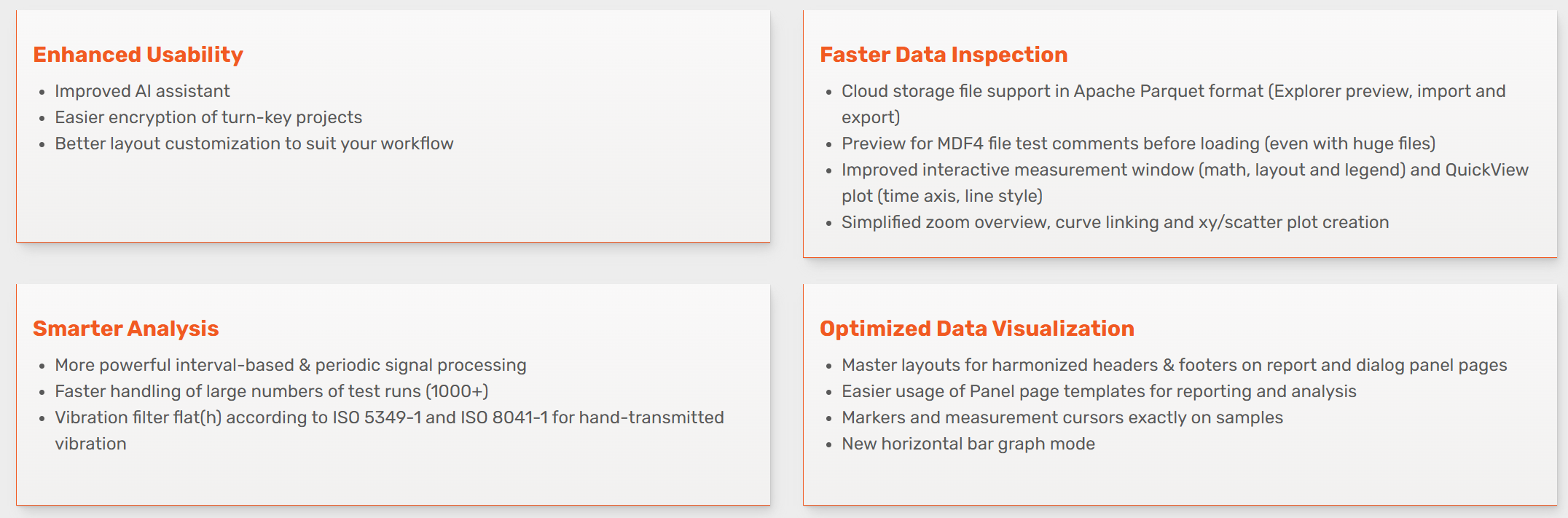
Typical use cases with FAMOS 2026 +AI
eVTOL & Aerospace Testing
Synchronize and evaluate data from multiple sources, even in harsh environments, in one workflow.
Your benefit: Faster validation with reliable insights
Automotive Validation
Understand vehicle behavior faster: Correlate signals from steering, suspension, and road response to analyze systems efficiently.
Your benefit: Faster tuning and clearer cause-effect analysis
End-of-Line Testing
Automate evaluation and reporting to ensure consistent results across all test runs in production.
Your benefit: Reduced manual effort and improved quality control
NVH Analysis (Noise, Vibration, Harshness)
Process vibration and acoustic data efficiently: Analyze large datasets and identify frequency patterns without complex scripting.
Your benefit: Faster issue detection and streamlined workflows